Bill splitter for friends, family, and groups
Scan the receipt or add each item on the bill, and select who had it. Tax and tip are shared by what each person ordered, and everyone’s share adds up to the bill to the cent. Share the split as a link, with no sign-up or app to download. For a running balance across many bills, create a free group.
This splits by what each person had. Everyone had about the same? Split it equally with the tip calculator
Oct 22, 2026
Bill in USD ·
Who's splitting?
Who paid the bill?
Read on your device, never uploaded. Check the items, as it can misread. Lay the receipt flat in good light.
Tax & tip
$0.00
$0.00
Items $0.00 · Tax $0.00 · Tip $0.00
Tip is worked out on the items before tax. Tax and tip are shared by what each person had.Everyone's share
Person 1
Gets back $0.00$0.00
Person 2
Pay Person 1$0.00
Total
$0.00
Add an item with a price.
See it in action
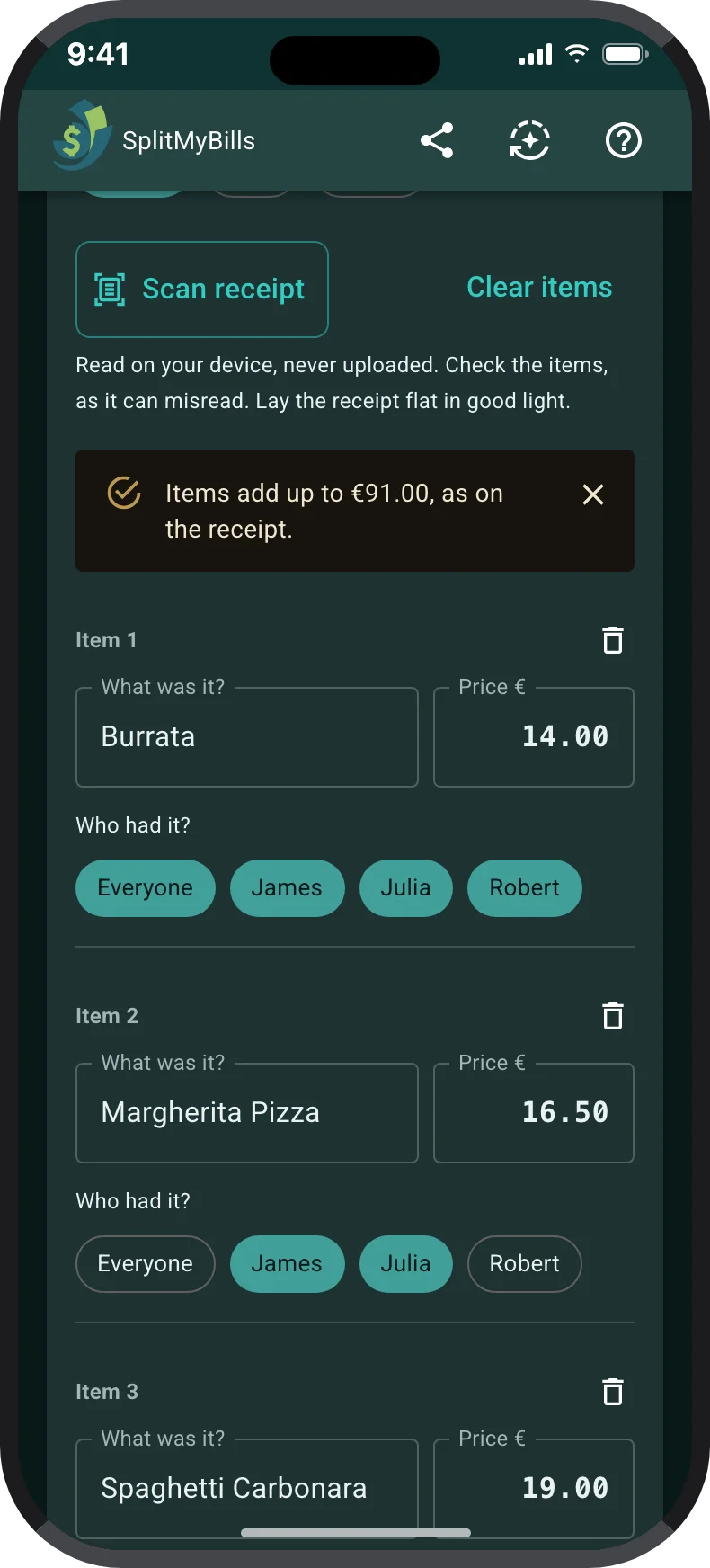
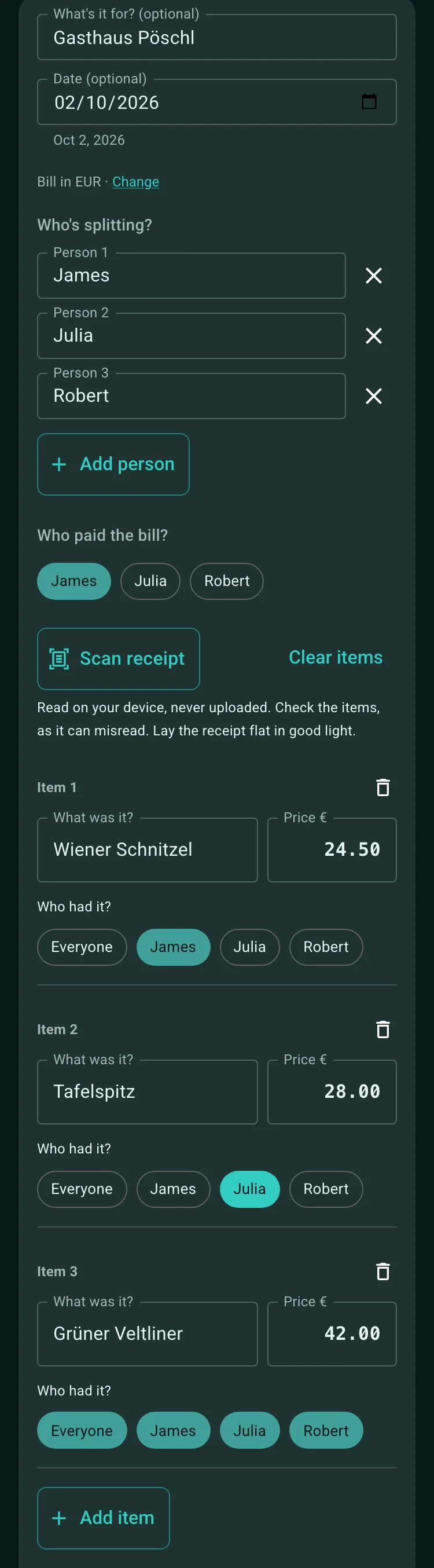
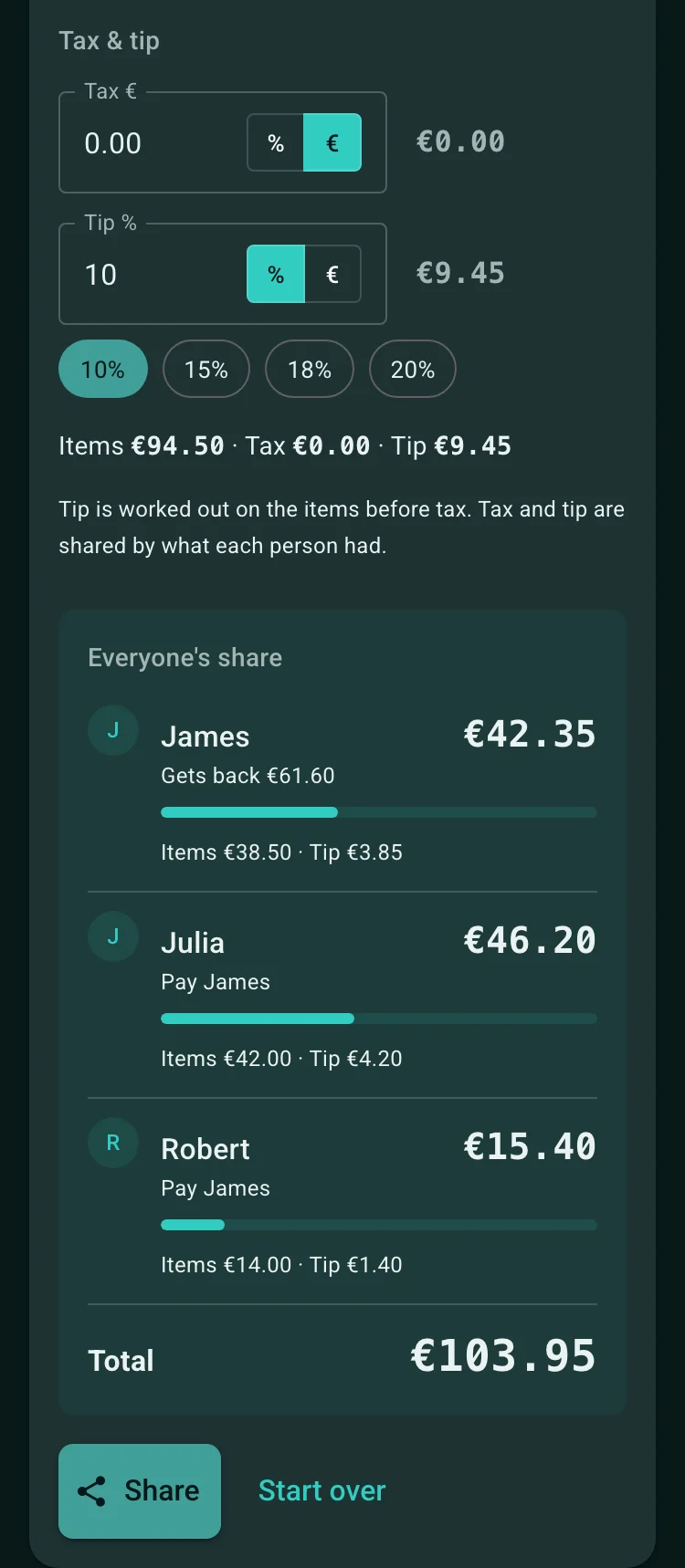
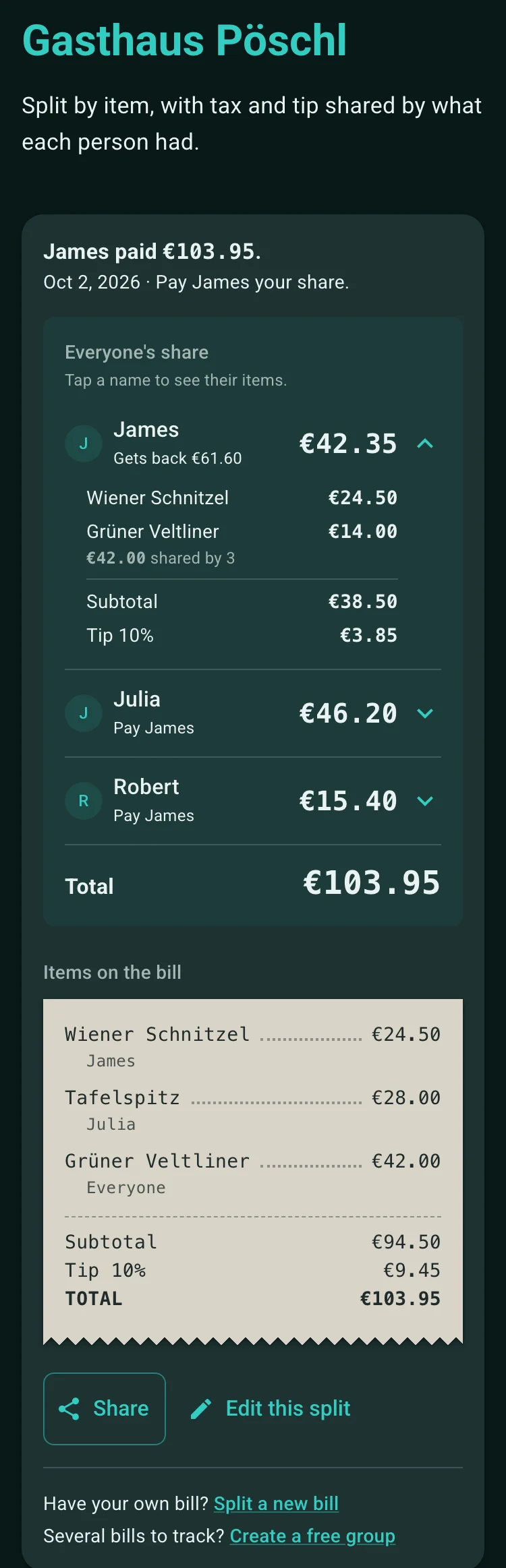
How to split a bill by what each person had
Add each item from the receipt with its price, then select everyone who had it. A dish one person ordered is theirs alone; a bottle of wine shared by three is split three ways.
Tax and tip are then shared in proportion to what each person ordered, so someone who had a third of the food pays a third of the tax and tip. Each share is rounded to the cent and any odd cents are spread out, so the shares add up exactly to the bill.
For example: Ana has a $12 pasta and all three share a $30 bottle of wine, with a 10% tip. Ana pays $24.20, and Ben and Cy pay $11.00 each, which comes to the $46.20 total.
- Shared items are split equally among the people who had them.
- The tip is worked out on the items before tax.
- Share the result as a link: everyone sees the same split, and nobody needs an account.
When to split equally, by percentage, or by item
A fair split depends on who benefited from the expense. Split equally when everyone shared the cost in a similar way, by percentage when the group has agreed contribution ratios, and by item when people ordered different things.
You do not need one rule for everything. A restaurant bill can be split by item while a shared taxi or a monthly utility is split equally.
- Equal shares for shared rides, common supplies, and meals where everyone had much the same.
- Percentage shares for agreed contribution ratios.
- By item for restaurant bills, takeaway orders, and shopping where people bought different things.
Need a running balance? Create a group
The bill splitter works out one bill. For a trip, a shared house, or regular dinners, create a free group instead: record who paid each bill and who shared it, and the group keeps a running balance of who owes whom.
In a group, choose Split by item when adding an expense to split a receipt the same way. It is saved as one expense with each person's exact share and keeps the whole bill, so anyone in the group can view it or fix an item later. Settling up suggests the fewest payments to clear the balance.
How to get started
Add who is splitting
Type a name for each person at the table. Two are there to start; add more as needed.
Add each item and who had it
Scan the receipt to fill in the items and prices, or type them in. Then select everyone who shared each one, or Everyone for shared dishes.
Add tax and tip, then share
Each share includes that person's part of the tax and tip. Share the split as a link so everyone sees the same numbers.
Frequently asked questions
In proportion to what each person ordered: someone whose items came to half the bill pays half the tax and half the tip. The tip is worked out on the items before tax. Any odd cents are spread so the shares add up exactly to the total.
Yes. Tap Scan receipt and take a photo of the receipt, or choose one. The items, prices, tax and tip are read on your device, and the photo is never uploaded or kept. Check the items against the receipt: when it shows a subtotal or total, the splitter tells you whether the items add up to it.
Select just the people who had it. A shared item is split equally among the people selected, and an item selected for one person is theirs alone.
The split shows each person's share, so the person who paid knows what to ask everyone for. To keep track of who has paid them back, create a group and use Split by item there: the bill is saved as an expense, and the balance shows what each person owes.
It is free, and nobody needs an account or a group. Share the split as a link, and anyone can open it in their browser to see their share and the bill.
For shared bills
Split bills and see who owes what.
Record who paid, choose equal or exact-amount shares, and give everyone one reliable place to check what they owe.
Start a bill group- Add the costRecord the payer, amount, and date.
- Choose the splitUse equal, percentage, exact-amount or item-by-item shares.
- Settle clearlySee the balance and settle up together.