Group vacation expense splitter for hotels, meals, and activities
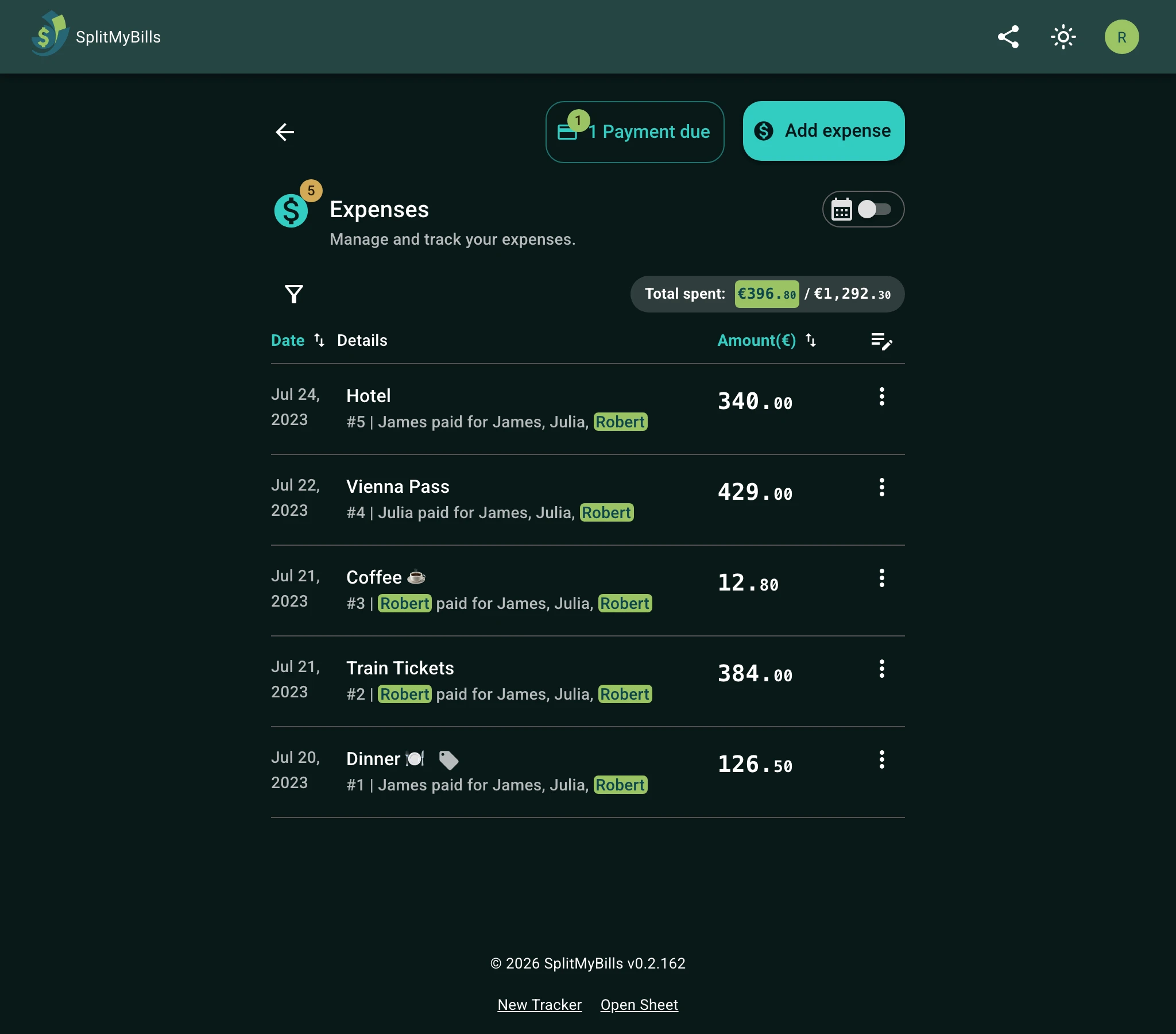
Add each trip cost as it happens, with who paid and who took part, and the balance shows who owes whom. If one person books a $900 hotel for three, the other two owe them $300 each; an activity only two people joined is split between those two. At the end, the group sees the fewest payments that settle everyone up.
See it in action
Agree on the rules before the trip
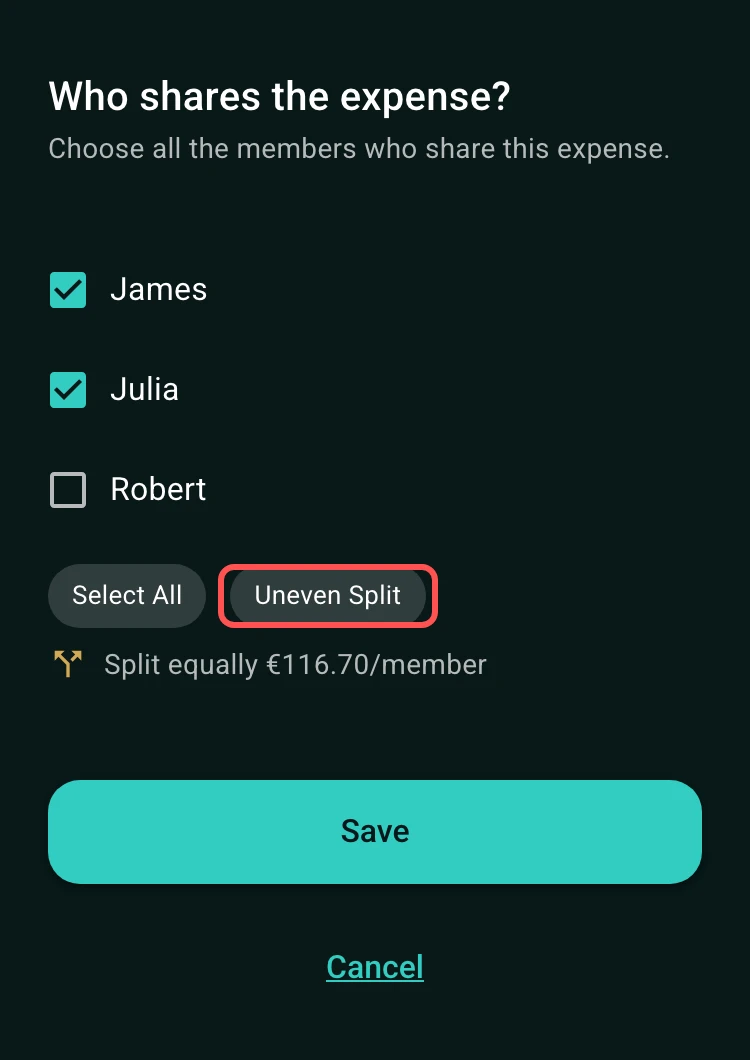
The easiest vacation expense split is the one everyone understands before the first booking. Decide whether accommodation is equal, based on room occupancy, or handled with exact amounts. Make the same decision for transportation, meals, and activities.
Write down what is shared and what is personal. A museum ticket for the whole group belongs in the shared group; a personal shopping trip does not. Clear rules prevent a small expense from becoming a large disagreement later.
- Equal splits for group bookings, shared transport, or pooled activities.
- Exact amounts when people have different rooms or skip an activity.
- Separate expenses for personal purchases and optional upgrades.
Track trip expenses as they happen
Add the hotel deposit, fuel, train tickets, groceries, restaurant bills, and group activities as they happen. The person who pays can be different from the people who share the expense, which keeps the final balance accurate even when one person fronts the booking. For a restaurant bill where everyone ordered something different, scan the receipt with Split by item and select who had each dish.
Use one currency per group. For costs paid in the local currency, the converter on the amount field suggests that day's rate, fills in the converted amount and keeps the original in the description. Change the rate to the one on your card statement if it differs. Split by item works in the local currency too: type the prices as they are on the receipt, and each person's share is converted when you save.
Settle up before everyone heads home
At the end of the trip, open the group and check that every participant is included where appropriate. The final totals show who owes what, so the group can settle with fewer one-off calculations and fewer forgotten reimbursements.
For restaurant bills, use the tip calculator when the group needs to include tax or a tip before adding the final amount to the trip group.
How to get started
Create a trip group
Name it after the destination and add everyone sharing costs.
Log bookings and daily expenses
Record the payer, date, amount, and participants for hotels, meals, transport, and activities.
Settle the group balance
Review the final totals together and share the group's link so everyone sees the same numbers.
Frequently asked questions
Yes. Record the person who paid and include the participants who should share the accommodation cost.
Choose only the people who joined the activity, or use exact amounts, so nobody is charged for something they skipped.
Yes. Add the meal to the trip group with its tax and tip, and choose who shared it. If people ordered different things, use Split by item: tax and tip are shared by what each person ordered.
For group trips
Track trip costs as you travel.
Record hotels, transport, meals, and activities as they happen, even when people join for different parts of the trip.
Start a trip group- Add trip costsRecord hotels, transport, meals, and activities.
- Select participantsInclude only the travelers who shared each cost.
- Settle before leavingReview the final balance while everyone is together.