How to track shared expenses with SplitMyBills
By SplitMyBills
4 min read · Published May 21, 2024
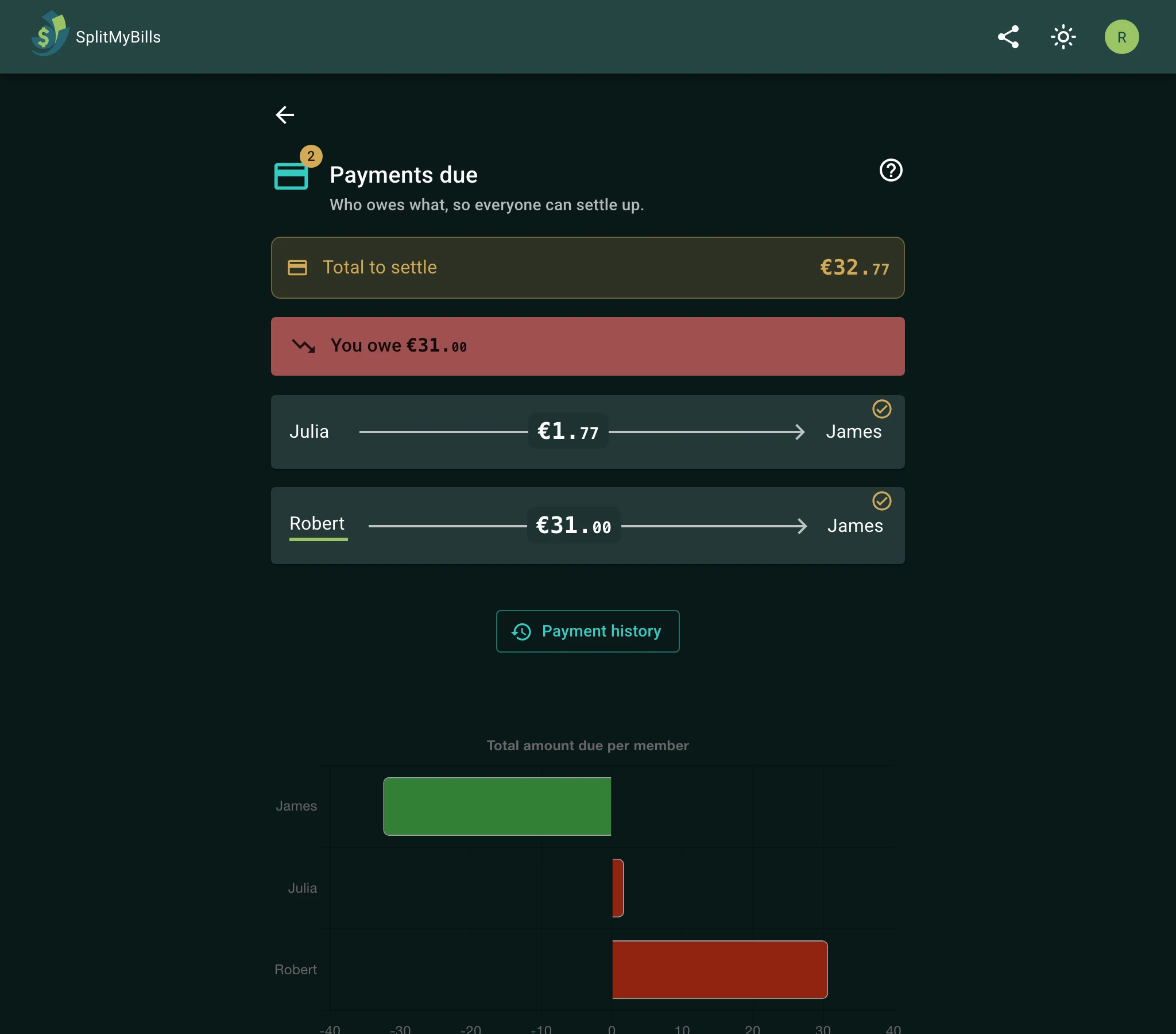
To track shared expenses with SplitMyBills, create a group, add the people sharing costs, and record each expense with who paid and who it was for. Balances update as you go, and Payments shows the fewest payments that settle everyone up. Share the group's link so everyone sees the same numbers; nobody needs an account.
SplitMyBills keeps the payer, participants, dates, amounts, and settlement balance in one shared group. This workflow shows how to record household bills, trip costs, group meals, and recurring subscriptions without rebuilding the calculations in a spreadsheet.
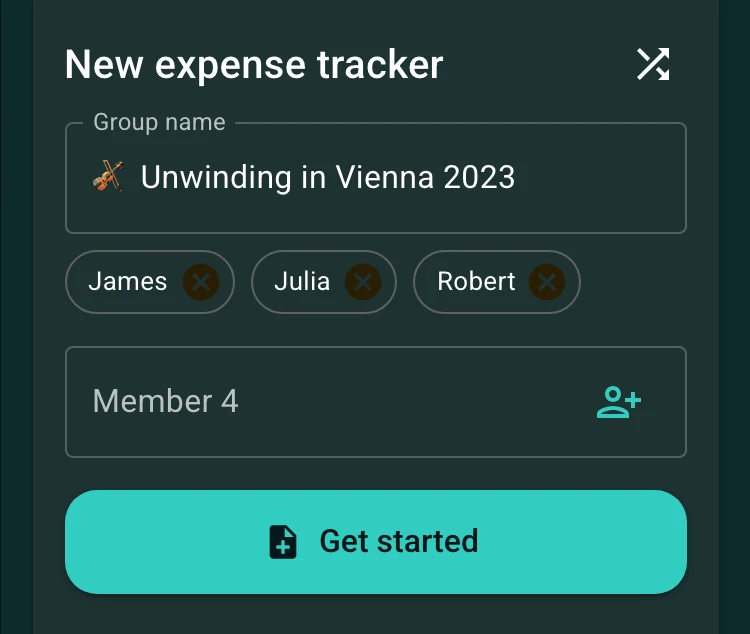
1. Create a shared expense group
Start by creating a group for the people you are sharing expenses with. Whether it's housemates, family members, or friends, add the people who should appear in the shared balance and then share the group's link with anyone who needs to review or update it.
2. Add and track expenses
As you incur expenses, simply log them into the app. You can add details like the amount, description, category, payer, participants, and each person's share. SplitMyBills calculates the resulting balances so the group can see who owes or is owed.
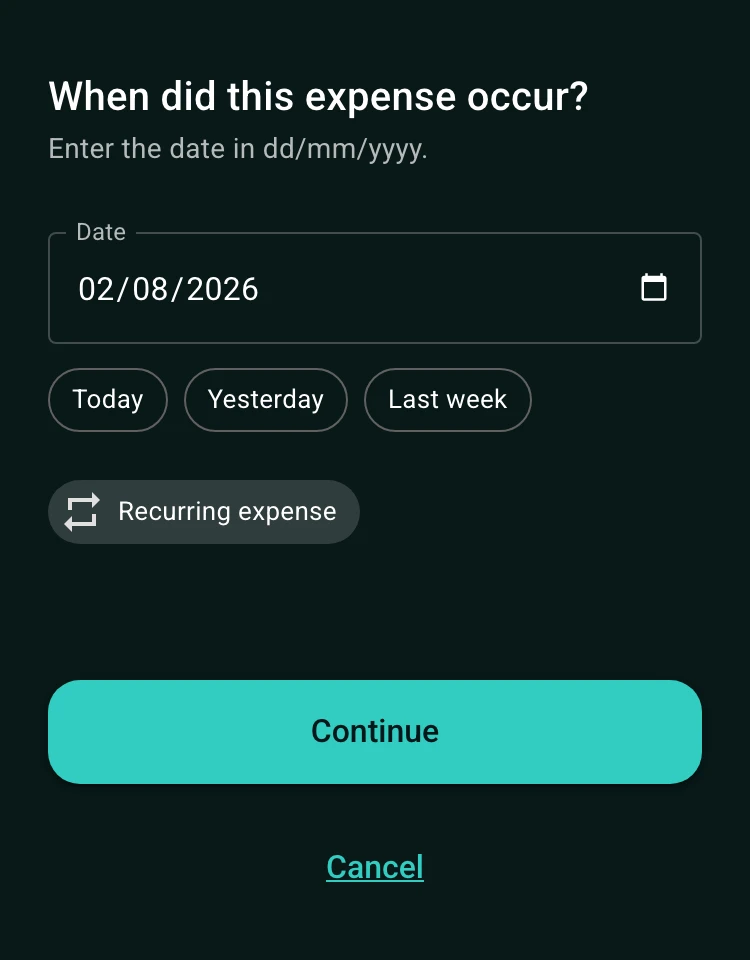
3. Set up recurring expenses
For expenses that repeat regularly (like rent, subscriptions, utilities, or memberships), you can set them up as recurring expenses. Choose from daily, weekly, fortnightly, monthly, quarterly, or yearly frequencies. SplitMyBills will automatically project future instances, helping you plan ahead and avoid manually entering the same expense repeatedly. You can see how many occurrences will be created and preview upcoming dates before finalizing.
4. See expenses in the calendar view
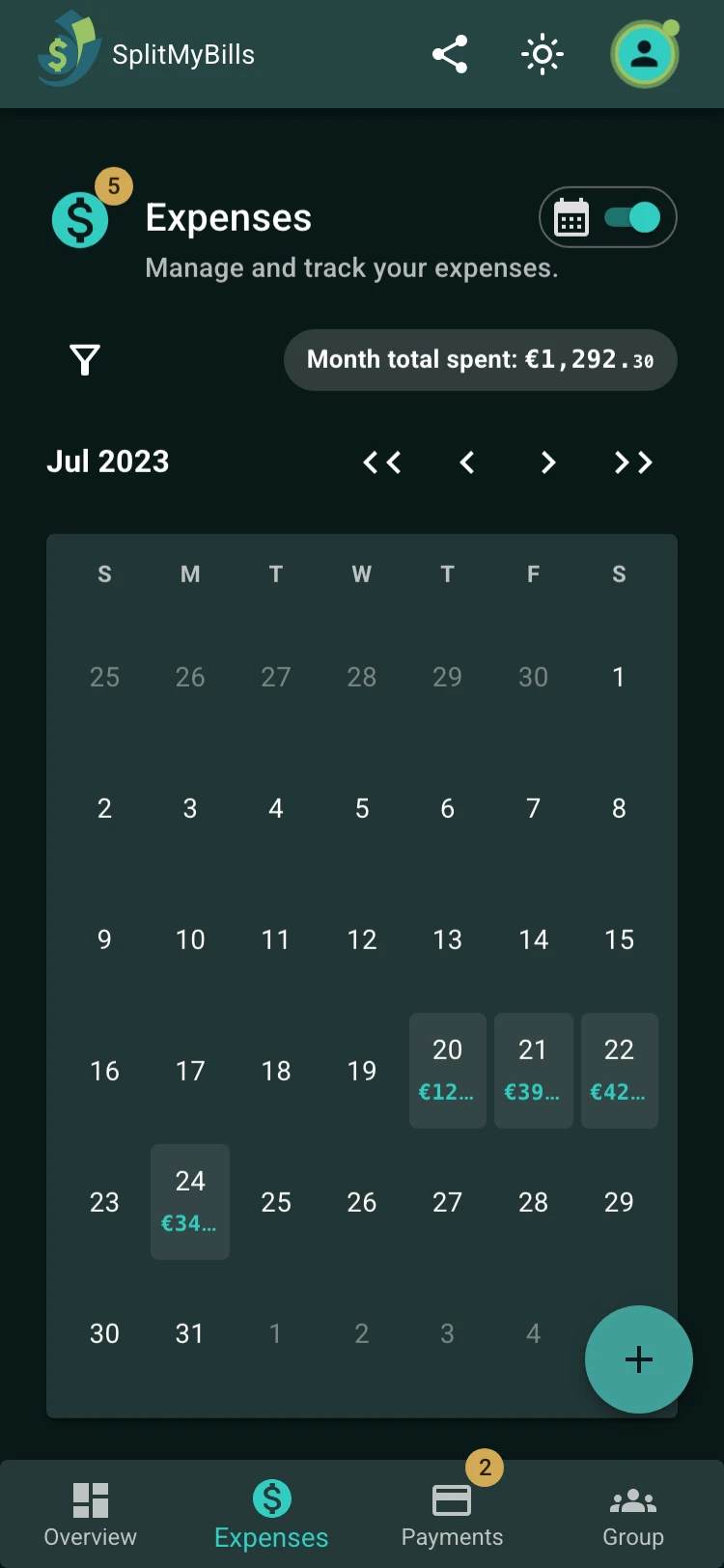
Switch between list and calendar view to see your expenses in different ways. The calendar view provides a visual monthly overview where you can:
- See all expenses for each day at a glance
- View daily totals directly on the calendar
- Spot recurring expenses by their repeat icon
- Move from one month to the next
- Click on any day to see detailed expense breakdowns
This makes it easier to track spending patterns, identify high-expense days, and plan your budget month by month. Recurring expenses are clearly marked so you can distinguish between actual and projected transactions.
5. Divide expenses fairly
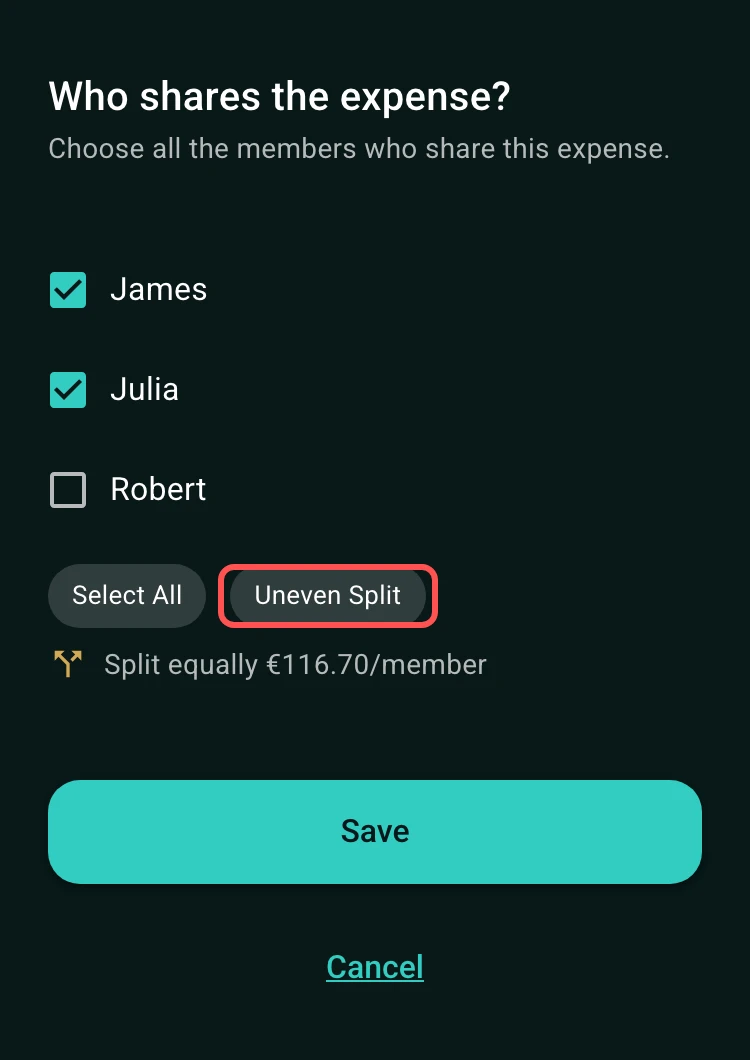
For each expense, you can choose how you want to split the cost. You can divide the expense equally, by percentage, or based on individual usage. This flexibility makes it easy to handle different types of shared costs.
6. Track who has paid
SplitMyBills keeps track of who has paid and who still owes money. The website updates the balance in real time, so you always know where you stand.
7. Settle up
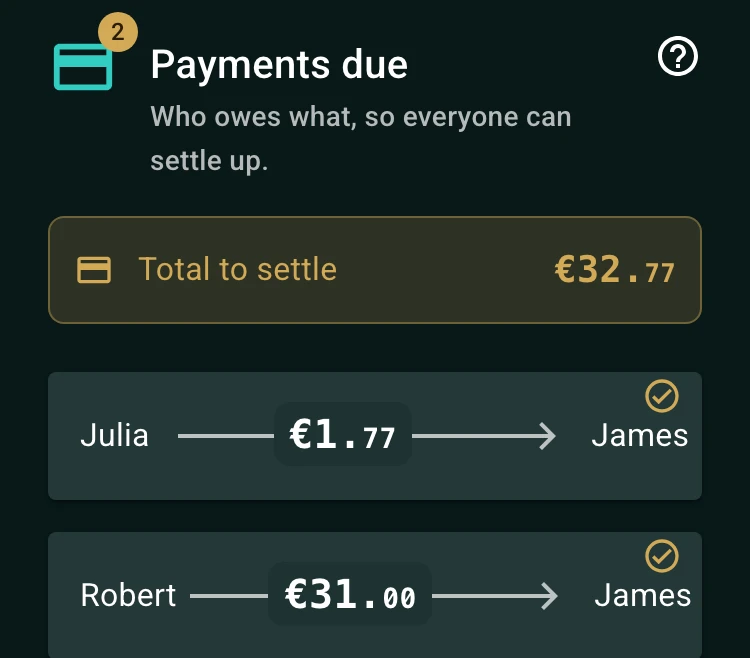
When it's time to settle up, SplitMyBills gives you a summary of how much each person owes or is owed.
Start tracking your shared expenses
Whether it's with friends, family, or housemates, we make it easy for everyone to track, split, and settle up expenses! For more information, visit our FAQ page. For a household workflow, read the roommate bill splitter guide.
To get started, you can easily access SplitMyBills through your web browser. For an enhanced experience, consider adding it to your home screen. This optional installation process allows for quick access and a more app-like experience. Simply visit install SplitMyBills. For group trips, see the group vacation expense splitter.
Create a free group to try it, and read 10 common mistakes when splitting bills before your first settle-up.
Updated Oct 5, 2026